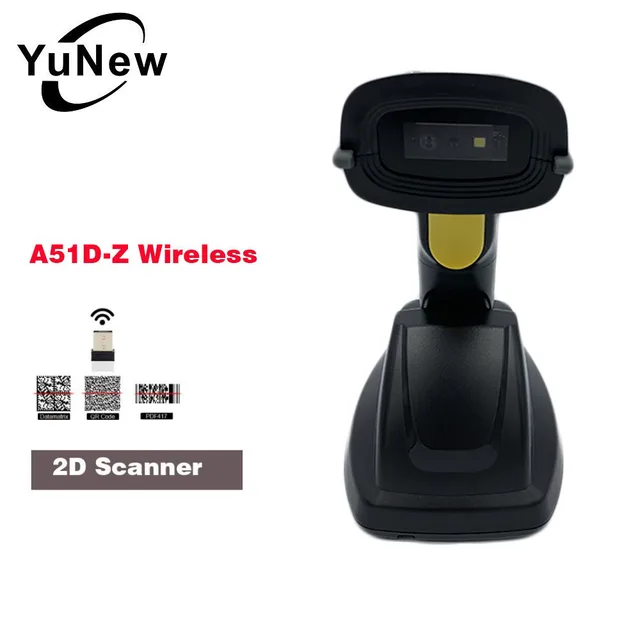
1D 2D QR Wireless USB Port Barcode reader pos Scanner With Base battery Charging connect with cash drawer and terminal pos

Optical Resolution:
600*600
Scan Speed:
200 scans/second
Scan Element Type:
CIS
Interface Type:
USB
Type:
Barcode Scanner
Colour Depth:
32 Bit
Model Number:
A51D-Z
Product Type:
Bar Code Scanner
Novelty:
New
Time to market:
Mar-13
Scanning Light Source:
Laser Light
Brand Name:
YuNew
Scan Breadth:
30cm
color:
black
433M Wireless 1D/2D Barcode Scanner With Base
25 Language,Full ASCII character editing,Short circuit design
Model:A51D-Z
Threemodes:433M
Distance:≤400m
Storage:8192 (characters/barcode≤128)
Working current:3.3Vx200mA
Standby current:0mA
Working time :3 to 7 days
Charging power:5V-400mA
Base state:Contact good, the buzzer ring "Di-di" ,the green light on,indicates charging.
Scanner parameters
Light aimer:617nm LED
Illumination:6500K LEDs
Sensor:640*480 CMOS
Indication:Buzzer & LED
Trigger Mode:Button,Auto-Induction
250LuxDepth of Field
13mil-EAN13:50-250mm
4mil-code39:60-100mm
20mil-QR:40-300mm
10mil-PDF417:40-280mm
Resolution :4mil
Printing Contract :>25%
Decoding speed:500/sec
Scanning angle:Angle of rotation360°,inclination± 60°,declination ± 60°
Anti-interference:0-100000Lux Max


FAQ
Q1.what is the different for laser ,CCD and QR code Scanner?
A:Laser is suitable for paper and One-dimensional code,can be used under the sun
CCD is used for paper One-dimensional and screen code,can not be used under the sun.
QR can scan the code above and QR code
Q2.How to test a scanner?
A2:Firstly,Plug the receiver in the competer
Secondly,open a TXT or Word file
Third,scan a prduct code or a Express paper
Fourth,the code appear in the file,Then the Scanner is good.
Q3.How the bluetooth scanner connect phone?
A3:Firstly,Turn on the scanner,the Indicator light is in pink blue color;
Secondly,turn on the bluetooth in the phone and search,find“scanner**”,then connect.
Thirdly,the Indicator light become Blue color.Then connect successfully.
Q4.How to use bluetooth scanner in the computer?
A4:Firstly,plug the receiver in the computer,
Secondly,scan the setting code in the manual and the Indicator light become green.Then it connects successfully.
Q5.How to use Storage mode?
A5:Firstly,plug the receiver in the computer,
Second,scan the Storage setup code and the Indicator light become green.Then it connects successfully.
Unit Type:
piece
Package Weight:
0.429kg (0.95lb.)
Package Size:
18cm x 15cm x 10cm (7.09in x 5.91in x 3.94in)


Komentar
Posting Komentar